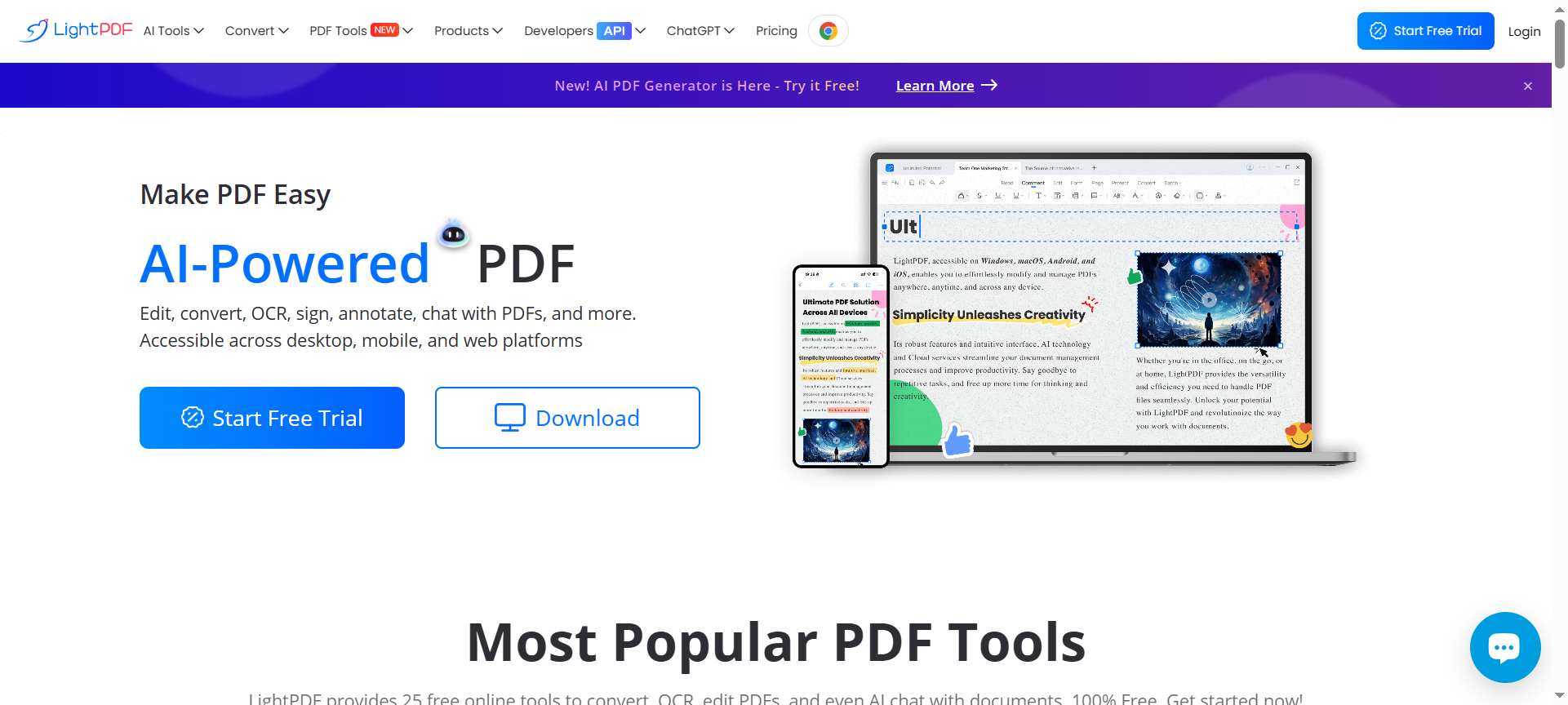

In 2026, when productivity and document management are ever more important, LightPDF emerges as a standout solution. This LightPDF Review 2026 explores how LightPDF combines editing, conversion, OCR, AI-powered features and cloud access into a unified experience. Whether you’re a student, a business user, a freelancer or a developer needing PDF APIs, this review covers everything you need to know: features, pricing, pros & cons, discount options, alternatives and FAQs.
Introduction about LightPDF
LightPDF is a cross-platform document solution offering a wide range of PDF tools: convert PDF to/from Word, Excel, PPT, image files; edit, annotate, compress, OCR, sign and even use AI tools to chat with your documents. With versions for web, desktop (Windows/Mac), mobile (iOS/Android) and API/SDK for developers, LightPDF positions itself as a modern, flexible PDF platform. The free web version gives access to many tools; the paid VIP plan unlocks advanced features, cloud sync, batch processing and full device coverage.
LightPDF Features
Here are 10 key features of LightPDF and how they deliver value:
- PDF Conversion (to and from)
LightPDF supports a huge range of formats: Word, Excel, PPT, TXT, RTF, JPG, PNG, SVG, HEIC, Markdown, HTML, EPUB, ODF, CAJ and more. You can convert PDFs into editable formats and convert many formats into PDF. This flexibility helps in document workflows and publishing tasks. - OCR and Image-to-Text Extraction
With OCR capability, LightPDF can recognize text in scanned documents or images and turn them into editable text. This is invaluable for archiving, digitizing paper forms or converting legacy documents. - PDF Editing & Annotation
LightPDF allows you to add, delete, modify text, images or pages in PDFs; annotate with comments, highlights, markups; add signatures and watermarks. This helps make PDFs dynamic, collaborative and ready for business use. - Compression, Merging, Splitting & Reordering
File-size optimization via compression, combining multiple PDFs or splitting large PDFs into smaller files, and reordering pages are all supported. This is helpful to manage storage, deliver via email or archive efficiently. - Cloud Sync & Multi-Device Platform Access
LightPDF offers cloud storage and cross-device access—web app, desktop, mobile apps. Upload on one device and continue on another. That means you can work on the go or across platforms. - AI-Powered Document Tools (Chat, Summarize, Generate)
LightPDF includes AI features: chat with your PDF (ask questions about its content), summarise long documents, generate summaries, analyse parts of your document. This next-gen feature moves beyond basic tools and brings intelligence to your files. - Batch Processing & Large File Handling
Premium users can take advantage of batch conversion, large file size limits (unlimited in some plans), and multiple files at once. That’s a major productivity boost for heavy users. - Desktop & Offline Functionality
While the web app runs online, LightPDF also offers desktop versions for Windows and Mac, allowing offline operations for many tasks—critical when internet is unavailable or for sensitive documents. - API & SDK Support for Developers
For developers wanting to integrate PDF features into their apps or websites, LightPDF offers APIs (conversion, OCR, editing) and SDKs. This extends LightPDF’s utility beyond the standard user into a platform. - Security, Compliance & Data Privacy
LightPDF advertises ISO/IEC 27001 and 27701 certifications, GDPR compliance, encryption of file transfers and data-at-rest, and automatic deletion or cleanup of uploaded files. For business users this increases confidence in document security.
LightPDF Pricing Plans
Here is a breakdown of pricing for LightPDF as of 2026 (approximate values):
- Free Web Version – Access many tools at no cost. Some limits: smaller file size, fewer batch jobs, online only.
- Monthly VIP Plan – US $19.99 per month for web + mobile + desktop access, larger file limits, batch process, AI tools.
- Annual VIP Plan – US $49.99 per year (or around US $89.99 for full device coverage) depending on promotion.
- API / Credit-based Plan – For developers: e.g., 1,000 credits for US $19; 5,000 credits for US $89; etc.
- Team / Enterprise Custom Plans – For organizations needing multiple seats or advanced features, LightPDF offers custom quotes.
These pricing tiers show great flexibility from casual users (free) up to enterprise usage.
LightPDF Pros & Cons
✅ Pros
- Extensive Feature Set across Platforms – LightPDF works on web, desktop, mobile and offers API support.
- Strong AI Features – Chat with PDF, summarise, intelligent tools make it more than a basic editor.
- Affordability – Free plan plus competitively priced VIP plan give value for money.
- User-Friendly Interface – Users report ease of use and fast conversions.
- Security & Compliance – Encryption, certifications and data privacy are emphasized, which is important for business users.
❌ Cons
- Free Plan Limitations – Some advanced features (batch processing, large file limits) are locked behind paid plan.
- Subscription Required for Full Power – To access full device support, unlimited size and AI tools you must pay; some users feel price is steep.
- Learning Curve for Advanced Tools – While basic tools are intuitive, mastering API/SDKs or advanced batch tasks may require effort.
- Occasional Web-Only Constraints – Some tasks require internet connection; offline desktop versions may not support all features.
- Support/Integration Depth May Vary – While great for many users, power users may find that certain niche integrations or workflows are less mature compared to full enterprise Document Management systems.
LightPDF Discount Coupon Codes 2026
In 2026 you can maximise savings on LightPDF via discount-coupon strategies:
- Promo periods (Black Friday, New Year, Back to School) often deliver up to 70 % off first year.
- App Store/IAP bundling sometimes shows yearly plan for US $49.99 when monthly list is US $19.99.
- Developer API credit bundles sometimes provide extra credits or lower per-credit cost (e.g., US $0.007 per credit at large volume)
- Many affiliate sites collect “LightPDF Discount Codes 2026” which you can apply at checkout for percentage-off.
- Always check renewal terms: initial discount may end on renewal so compute long-term cost vs benefit.
By leveraging these coupon codes and monitoring promotional windows you can reduce cost significantly while obtaining full premium access.
Why Choose LightPDF?
There are many reasons to choose LightPDF:
- One Tool Does Many Jobs: You don’t need separate PDF converter, editor, OCR tool, annotation tool and API provider — LightPDF bundles them.
- Scalable for All Users: From free web user to enterprise API client, the pricing tiers cater to many budgets and use cases.
- Modern AI-Driven Workflow: The addition of AI chat, summarisation and analysis gives LightPDF a competitive edge in 2026.
- Cross-Platform Flexibility: Works on web, desktop and mobile so you can work where you are.
- Secure and Business-Ready: Certifications, encryption and compliance make it viable for business use, not just hobbyists.
If you regularly work with PDFs, convert many documents, manage scanned school or business files, or integrate PDFs into your apps, LightPDF is a compelling choice.
LightPDF Alternatives 2026
If you’re exploring alternatives to LightPDF, consider these three options:
- Adobe Acrobat Pro – The industry standard for PDF editing and creation, with rich features for power users and enterprise scale.
- Foxit PDF Editor – A strong competitor that offers many of the same editing and collaboration features, sometimes with lower upfront cost.
- Smallpdf – A web-first PDF suite focused on ease of use and workflow simplicity, ideal for lighter users or those who prefer a simpler UI.
Each of these has its own strengths: Adobe for maximum features and enterprise support, Foxit for cost-effective editing, Smallpdf for lightweight simplicity. If LightPDF matches your budget and features you need, it could offer the best value in 2026.
LightPDF FAQs
1. Does LightPDF offer a free plan?
Yes — LightPDF’s free web version allows conversion, editing and many tools at no cost. Some features and file size limits apply.
2. Can I use LightPDF offline on desktop?
Yes — There are desktop versions for Windows and Mac. However, some features (especially AI chat and cloud sync) still require internet access.
3. Are there mobile apps for LightPDF?
Yes — LightPDF has mobile apps on iOS and Android with subscription options (e.g., monthly US $19.99, yearly US $49.99)
4. What kind of discount codes are available in 2026?
You can find discount coupon codes during special promotions, affiliate deals and via partner sites. Annual plans often have large %-off offers.
5. Is LightPDF secure for business use?
LightPDF states compliance with ISO/IEC 27001 and 27701, uses encryption for file transfer and storage, and offers business-grade features. That makes it suitable for business document workflows.
Conclusion
In conclusion, LightPDF Review 2026 shows that LightPDF is a robust, modern, feature-rich PDF solution with strong value for both individuals and businesses. Its blend of conversion, OCR, editing, AI tools, multi-platform access and flexible pricing make it one of the leading choices in the PDF tool category. While no tool is perfect and heavy enterprise users may need more niche integrations, LightPDF offers an excellent balance of functionality, usability and price. If you frequently handle PDFs, convert documents, or integrate PDF tasks into your workflow, LightPDF is a smart investment for 2026.