What is Edworking?
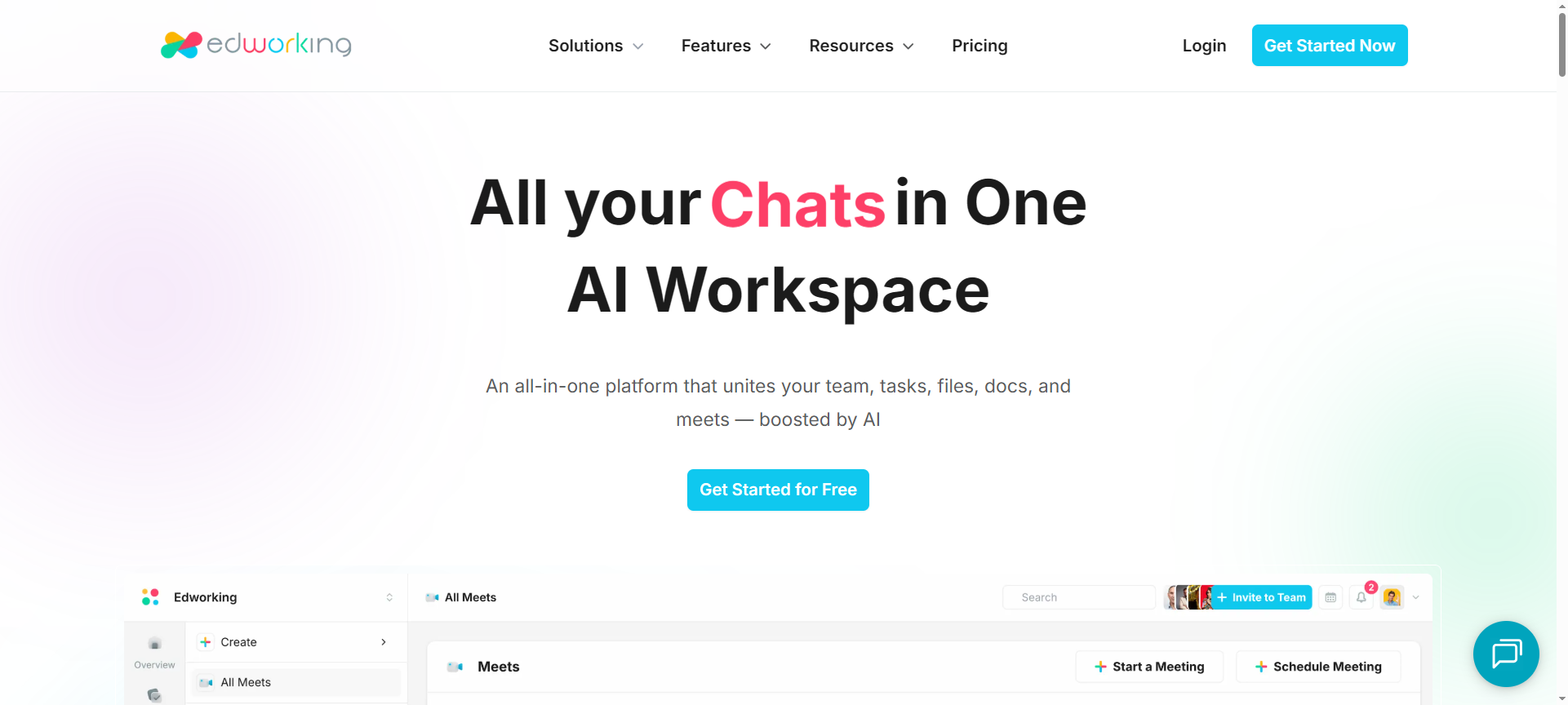
Edworking is an all-in-one collaboration platform designed to streamline team communication, task management, document sharing, and workflow automation. Founded to simplify the way teams operate in distributed environments, Edworking combines tools like chat, video calls, project management, and file sharing into a single integrated workspace.
Unlike juggling multiple apps like Slack, Trello, Google Docs, and Zoom, Edworking brings everything together in one unified interface. This approach not only saves time and money but also improves focus and transparency across teams.
From creative professionals to tech startups, Edworking is becoming a go-to productivity suite for businesses that value collaboration, simplicity, and scalability.
Edworking Features (10 Key Features)
Let’s dive into the top features that make Edworking stand out in 2026:
1. Task Management
Easily assign, track, and monitor tasks across your team. Edworking offers an intuitive Kanban-style board that helps visualize workflows and manage deadlines effectively.
2. Built-in Chat & Messaging
Say goodbye to switching between chat tools. Edworking includes real-time chat and direct messaging, allowing seamless communication between team members within projects.
3. Video Meetings & Calls
Integrated video conferencing makes remote collaboration more human and efficient. Host meetings, share screens, and brainstorm ideas without needing Zoom or Google Meet.
4. Document Collaboration
Work on documents collaboratively in real time. Teams can edit, comment, and share files directly inside Edworking without relying on third-party storage services.
5. Cloud Storage & File Management
Keep all your important files in one secure place. Edworking’s cloud storage allows users to upload, categorize, and access documents from anywhere.
6. Workflow Automation
Automate repetitive processes such as task updates, reminders, or approval requests. This feature saves hours of manual coordination every week.
7. Time Tracking
Track how much time is spent on each task or project. Perfect for agencies and freelancers who bill clients based on time logs.
8. Collaboration Spaces
Create dedicated workspaces for different teams or clients. Each space can include its own chat, files, and tasks to keep things organized.
9. Project Insights & Reports
Get detailed analytics on project progress, team performance, and timelines. Edworking’s reporting tools help managers make informed decisions quickly.
10. Integration with Popular Tools
Edworking integrates with third-party platforms such as Google Drive, Dropbox, Notion, and Slack, ensuring smooth data synchronization across ecosystems.
Edworking Pricing Plans (2026)
Edworking offers flexible pricing designed to cater to both individuals and organizations:
- Free Plan – Ideal for individuals or small teams exploring the platform. Includes basic task management, chat, and file storage.
- Pro Plan ($8/month per user) – Unlocks advanced collaboration tools, workflow automation, and increased storage capacity.
- Business Plan ($15/month per user) – Designed for growing teams that need video meetings, time tracking, and advanced analytics.
- Enterprise Plan (Custom Pricing) – Tailored for large companies needing custom integrations, dedicated support, and enterprise-level security.
Compared to competitors, Edworking’s pricing remains affordable while offering robust features for both freelancers and large teams.
Edworking Pros & Cons
Every platform has its strengths and weaknesses. Here’s an honest look at Edworking in 2026:
Pros
- All-in-one platform – Combines project management, communication, and file sharing in one place.
- Affordable pricing – Offers great value compared to using multiple tools separately.
- User-friendly interface – Clean, intuitive design suitable for both beginners and professionals.
- Strong collaboration features – Real-time document editing and chat boost team productivity.
- Regular updates – The Edworking team consistently improves features and adds integrations.
Cons
- Limited third-party integrations compared to major tools like Notion or ClickUp.
- Mobile app could be improved with more functionalities.
- Learning curve for new users unfamiliar with all-in-one platforms.
- Video calls occasionally lag during peak usage.
- Offline mode not fully supported yet.
Edworking Discount Coupon Codes 2026
Looking for an Edworking Discount Coupon 2026? Good news — Edworking often runs seasonal promotions, referral discounts, and partner coupons that can help you save significantly on your subscription.
Here are a few ways to find and apply Edworking Discount Codes 2026:
- Check the official Edworking website for the latest promotions.
- Subscribe to their newsletter for exclusive Edworking coupon codes.
- Follow their social media channels for limited-time Edworking discount offers.
These Edworking Discount Coupon Codes 2026 can save you up to 30% on annual plans or give you a free trial period with full access.
Why Choose Edworking?
Here’s why businesses and freelancers love using Edworking in 2026:
- It eliminates the need for multiple subscriptions (Zoom, Slack, Trello, Dropbox).
- Boosts productivity by keeping everything centralized.
- Provides secure and GDPR-compliant cloud storage.
- Enables hybrid teams to work together seamlessly across time zones.
- Offers excellent customer support and continuous product updates.
In short, Edworking is the perfect choice for teams seeking simplicity, efficiency, and affordability.
Edworking Alternatives (2026)
If you’re exploring similar platforms, here are three Edworking Alternatives 2026 worth considering:
1. ClickUp
A powerful project management tool offering goal tracking, time management, and automation. Ideal for large organizations needing deep customization.
2. Notion
An all-in-one workspace combining notes, tasks, databases, and wikis. Notion is flexible for individuals and teams looking for structured knowledge management.
3. Asana
A leading collaboration tool known for its task tracking, project visualization, and workflow automation. Great for teams managing complex projects.
Edworking FAQs
1. What is Edworking used for?
Edworking is used for managing projects, communicating with teams, sharing files, and collaborating in real-time — all within one platform.
2. Is Edworking free?
Yes, Edworking offers a free plan with limited features. For advanced tools like video meetings or automation, you can upgrade to a paid plan.
3. Can Edworking replace Slack or Trello?
Yes, Edworking combines chat (like Slack) and task management (like Trello), offering a complete workspace solution.
4. Does Edworking support integrations?
Yes, Edworking integrates with popular tools such as Google Drive, Dropbox, and Notion to enhance your workflow.
5. Is Edworking secure?
Absolutely. Edworking uses end-to-end encryption and secure cloud infrastructure to protect your data.
Conclusion – Is Edworking Worth It in 2026?
To wrap up this Edworking Review 2026, it’s clear that Edworking is more than just another collaboration app — it’s a complete workspace solution for modern teams.
With robust features, affordable pricing, and continuous innovation, Edworking stands out as a serious competitor to traditional productivity suites. Whether you’re managing a startup, agency, or remote team, Edworking provides everything you need to collaborate efficiently, stay productive, and achieve your business goals.
If you’re looking for a unified, cost-effective, and future-ready platform, Edworking is definitely worth a try in 2026.