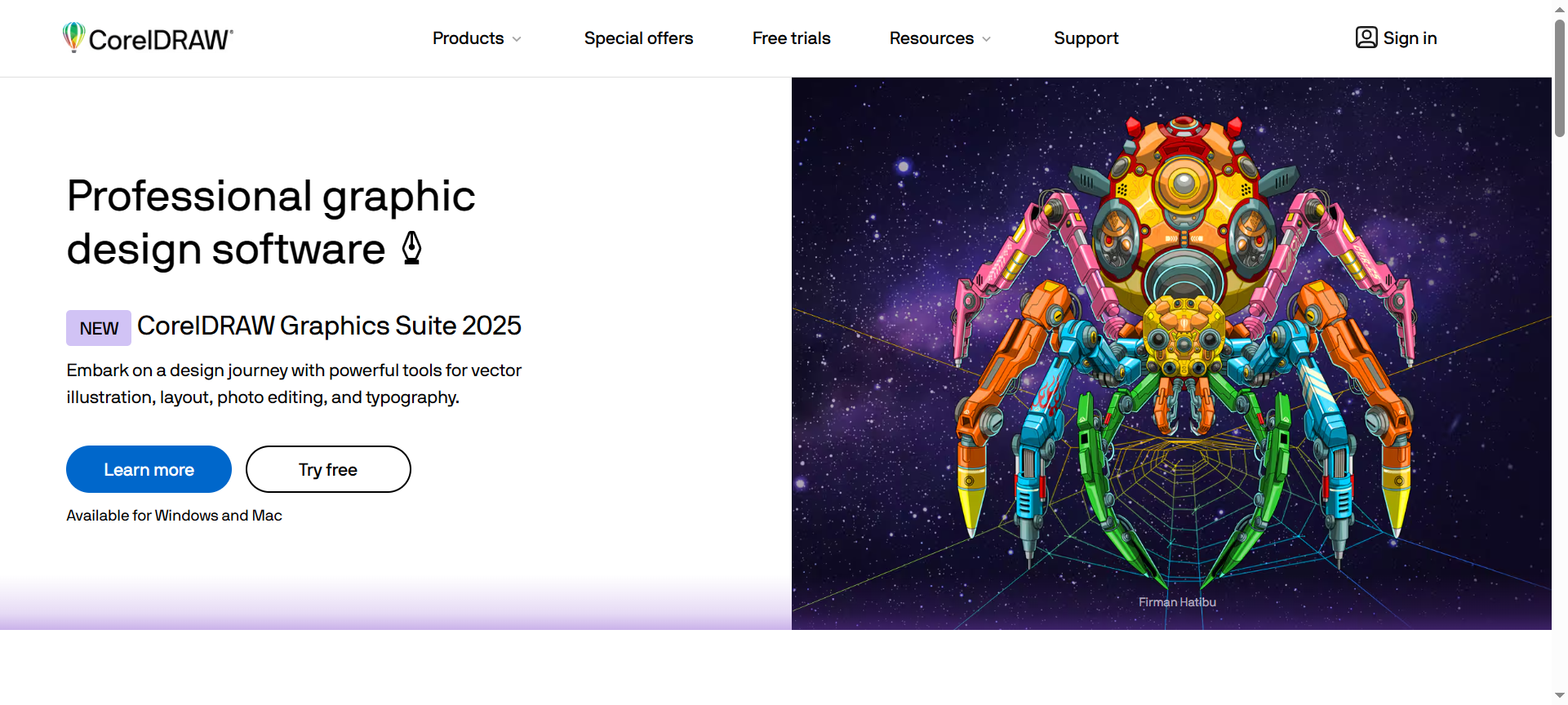
What Is CorelDRAW?
CorelDRAW is a comprehensive graphic design suite primarily focused on vector graphic design, illustration, and layout creation. Developed by Corel Corporation, it has been a trusted tool for professionals in industries ranging from branding and marketing to digital art and print design.
Unlike simpler design tools, CorelDRAW offers a robust set of features for creating detailed vector illustrations, complex page layouts, typography designs, and multimedia graphics. Its flexibility and precision make it ideal for both print and digital projects.
With each new release, including the 2026 version, CorelDRAW has enhanced performance, added AI-assisted tools, and improved collaboration features, making it one of the most powerful graphic design platforms available.
CorelDRAW Features
CorelDRAW 2026 comes loaded with features designed to meet the demands of modern designers. Here are 10 key features that set it apart:
1. Vector Illustration Tools
Create scalable, high-quality vector graphics suitable for logos, icons, and complex illustrations. CorelDRAW’s precision tools ensure smooth curves and perfect alignment.
2. Page Layout & Design
Design multi-page documents, brochures, flyers, and marketing materials with an intuitive layout editor. Includes master pages, guides, and grids for professional consistency.
3. Typography Tools
Advanced typography and font management allows designers to create custom text effects, manipulate text on paths, and use OpenType and variable fonts.
4. AI-Powered Image Enhancements
Leverage AI tools to improve image quality, remove backgrounds, upscale images, and generate design suggestions, saving time on repetitive tasks.
5. Color Management & Palettes
Access professional color palettes, Pantone libraries, and gradient tools, ensuring designs remain consistent across print and digital media.
6. Multi-Page & Multi-Asset Support
Work on multiple pages and assets simultaneously, making it easy to manage complex projects or brand assets within a single file.
7. Illustration Effects & Filters
Apply advanced effects, vector textures, shadows, and transparency, enhancing the visual appeal of your designs.
8. File Compatibility & Export Options
Supports a wide range of formats including AI, PSD, PDF, PNG, JPG, SVG, ensuring compatibility with other design software and print workflows.
9. Collaboration & Cloud Access
Store files on the cloud for easy collaboration with teams, and access projects from anywhere without local storage constraints.
10. Customizable Workspace & Macros
Tailor the interface to your workflow, customize toolbars, and use macros to automate repetitive tasks, boosting productivity.
CorelDRAW Pricing Plans
CorelDRAW offers flexible pricing options for individuals, businesses, and enterprises:
- Subscription Plan: $35/month – Access CorelDRAW Graphics Suite with all updates, cloud storage, and support.
- Perpetual License: $699 one-time – Lifetime access to CorelDRAW Graphics Suite with standard features.
- Educational Discounts: Up to 50% off for students and educators – Perfect for learning and academic projects.
- Business Plans: Custom pricing – Tailored for organizations needing team licenses and centralized management.
Annual subscriptions typically provide a cost-effective alternative to monthly payments.
CorelDRAW Pros & Cons
✅ Pros
- Professional-Grade Tools: Ideal for vector design, layout, and print-ready projects.
- AI Integration: Enhances productivity and automates repetitive design tasks.
- Extensive File Compatibility: Works seamlessly with other popular graphic design tools.
- Customizable Workflow: Tailor interface, macros, and toolsets to personal needs.
- Multi-Platform Support: Available on Windows and Mac, with cloud access.
❌ Cons
- High Learning Curve: Beginners may need time to master its advanced tools.
- Premium Pricing: Perpetual license is expensive compared to alternatives.
- Resource-Intensive: Requires a powerful computer for smooth performance on large files.
- Limited Mobile Functionality: CorelDRAW’s mobile options are less robust than desktop.
- Frequent Updates: Some users may find constant updates disruptive.
CorelDRAW Discount Coupon Codes 2026
You can save on CorelDRAW subscriptions or licenses using discount coupons and offers:
- Official Promotions: Check CorelDRAW.com for seasonal discounts and bundle deals.
- Educational Discounts: Up to 50% off for students and educators.
- Third-Party Coupon Sites: Look for verified CorelDRAW Discount Coupon Codes 2026 for additional savings.
Always ensure the coupon is valid and applicable to your plan.
Why Choose CorelDRAW?
CorelDRAW remains a trusted choice for professional designers because it combines:
- Versatility: Suitable for logos, brochures, social media graphics, and print materials.
- Precision Tools: Vector and layout tools allow for pixel-perfect designs.
- AI-Enhanced Productivity: Automates tasks and streamlines workflows.
- Multi-Platform & Collaboration: Work from multiple devices and collaborate efficiently.
- Professional Reputation: CorelDRAW has decades of industry trust and ongoing updates.
For designers seeking all-in-one software that balances creative freedom with professional output, CorelDRAW is a top-tier solution in 2026.
CorelDRAW Alternatives 2026
If you want to explore alternatives, consider these 3 top CorelDRAW Alternatives 2026:
1. Adobe Illustrator
Industry-standard vector graphics software with powerful tools, cloud integration, and seamless Adobe Creative Cloud workflow.
2. Affinity Designer
Cost-effective alternative with robust vector and raster tools, suitable for freelancers and small businesses.
3. Inkscape
Open-source vector graphics software, ideal for budget-conscious designers seeking free, professional-quality tools.
While these alternatives are strong, CorelDRAW’s combination of AI tools, layout capabilities, and workflow customization gives it a competitive edge.
CorelDRAW FAQs
1. Is CorelDRAW suitable for beginners?
Yes, beginners can start with tutorials, but mastering advanced tools may take time.
2. Can CorelDRAW be used for print design?
Absolutely, CorelDRAW supports CMYK color profiles, bleed settings, and professional print-ready outputs.
3. Does CorelDRAW work on Mac?
Yes, CorelDRAW Graphics Suite 2026 supports both Windows and Mac platforms.
4. Are there student discounts available?
Yes, verified students and educators can access up to 50% off CorelDRAW licenses.
5. Can I use CorelDRAW for web graphics?
Yes, CorelDRAW supports SVG, PNG, and other web-optimized formats.
Conclusion: Is CorelDRAW Worth It in 2026?
In 2026, CorelDRAW continues to be one of the most comprehensive graphic design solutions for professionals and businesses. Its vector illustration tools, layout capabilities, AI-powered enhancements, and collaboration features make it ideal for creating professional-quality graphics.
Whether you are a freelancer, design agency, or corporate team, CorelDRAW provides the tools to design, collaborate, and deliver high-quality work efficiently.
👉 Explore CorelDRAW.com today, check for CorelDRAW Discount Coupon Codes 2026, and elevate your graphic design workflow to professional standards.