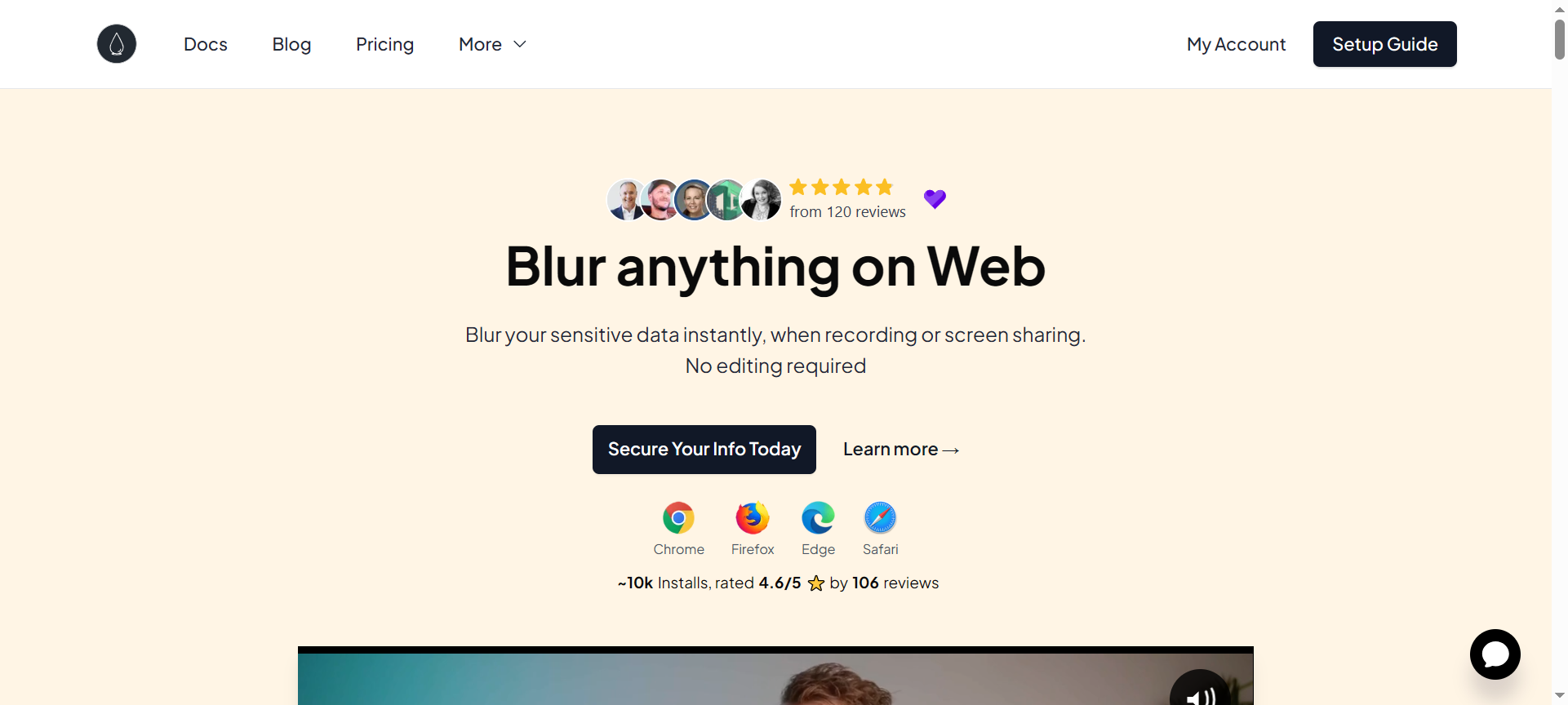

In today’s digital world, online privacy has become more crucial than ever. Whether you’re recording tutorials, sharing screens, or creating YouTube videos — sensitive data exposure is a real risk. That’s where Blurweb App steps in as a simple yet powerful solution. In this Blurweb App Review 2026, we’ll explore how this privacy-focused tool helps you blur sensitive information instantly, its top features, pricing, pros & cons, discount coupon codes, and the best alternatives in 2026. If you’re looking for an easy way to protect your screen privacy during live demos, client calls, or recordings, Blurweb App is one of the smartest tools you can use.
Introduction to Blurweb App
Blurweb App is a lightweight privacy protection tool designed for creators, freelancers, marketers, and professionals who frequently share their screens. With just one click, it allows you to blur confidential data such as email addresses, names, login credentials, profile pictures, or any other on-screen information you don’t want others to see.
Available as a browser extension (for Chrome, Brave, and other Chromium-based browsers), Blurweb App ensures that your private information remains hidden when you record videos, conduct webinars, or share your screen with clients or teammates. It’s a simple idea — but one that solves a huge real-world problem.
Top 10 Blurweb App Features
Here are the 10 best features that make the Blurweb App a must-have tool for privacy-focused professionals in 2026:
1. One-Click Blur
With a single click, you can blur any element on your screen — text, images, or UI components. This quick functionality makes it ideal for creators who want to maintain productivity while recording.
2. Permanent Blur
Unlike temporary effects, Blurweb offers a permanent blur option so that even after refreshing the page, your blurred areas remain hidden.
3. Element-Specific Blurring
You can choose exactly which elements to blur using the selector tool — from email IDs to buttons, form fields, or sensitive data sections.
4. Domain-Based Privacy Rules
Blurweb allows you to set domain-level privacy. That means once you blur a section on a specific site (like Gmail or YouTube Studio), it automatically stays blurred every time you revisit that domain.
5. Blur All Inputs
With the “Blur All Inputs” option, you can instantly hide all input fields like usernames and passwords with a single toggle.
6. Keyboard Shortcuts
For advanced users, Blurweb supports custom keyboard shortcuts, making it easy to toggle blur on and off quickly without interrupting workflow.
7. Screen Recording Compatibility
Whether you use Loom, OBS, Camtasia, or Zoom, Blurweb integrates seamlessly with your screen-recording setup.
8. Lightweight and Fast
The extension is extremely lightweight, ensuring it doesn’t slow down your browser performance even during heavy multitasking.
9. Privacy-Focused Design
Blurweb doesn’t send your data to any external server. All blurring happens locally in your browser, ensuring total privacy.
10. One-Time Payment (Lifetime Access)
Unlike subscription tools, Blurweb App offers a lifetime license, so you only pay once and enjoy privacy protection forever.
Blurweb App Pricing Plans
Blurweb App offers simple, affordable, and lifetime pricing plans. As of 2026, these are the official Blurweb App pricing options available on blurweb.app:
- Single License (Lifetime Access) – $15 (one-time payment)
Perfect for individuals who need to blur sensitive data during occasional recordings or screen shares. - Team License (Up to 5 Users) – $45 (one-time payment)
Ideal for small teams, digital agencies, and YouTube creators managing multiple client accounts. - Agency License (Unlimited Users) – $97 (one-time payment)
Best for large organizations, agencies, or companies with multiple employees handling client data.
Each plan includes free updates, browser extension access, and domain-based blur settings for secure privacy management.
Blurweb App Pros & Cons
✅ Pros
- Extremely Easy to Use – No technical setup; one-click blur for instant privacy.
- Lifetime Deal – Pay once and use it forever.
- Data Never Leaves Your Browser – 100% local privacy protection.
- Perfect for Content Creators – Ideal for video creators, YouTubers, and online educators.
- Affordable and Reliable – Compared to monthly subscriptions, Blurweb offers tremendous long-term value.
❌ Cons
- Limited to Browser Use – It works only inside browsers, not desktop applications.
- No Mobile Version Yet – Not available for mobile devices.
- Basic Customization – You can’t adjust blur shape or transparency extensively.
- No Mac/Windows App – Only available as a browser extension.
- Occasional Compatibility Issues – Some websites with complex JavaScript may require manual blur adjustments.
Blurweb App Discount Coupon Codes 2026
Looking for Blurweb App Discount Coupon Codes 2026? Good news — the developers often provide limited-time discounts and lifetime deal promotions through platforms like AppSumo or official Blurweb App sales pages.
To grab the latest Blurweb App Discount Codes 2026, visit the official website or trusted affiliate partners. These discount codes can save you up to 50% off on lifetime plans. Be sure to act quickly, as these offers are often time-sensitive and available for a short duration only.
Pro Tip: Subscribe to Blurweb’s newsletter to get exclusive coupon alerts and special seasonal deals directly in your inbox.
Why Choose Blurweb App?
You should choose Blurweb App if you value simplicity, privacy, and long-term affordability. It’s not just a blur tool — it’s a privacy companion that keeps you safe while sharing or streaming your screen.
Whether you’re a YouTuber, course creator, marketer, or agency owner, Blurweb helps maintain a professional appearance without exposing sensitive information. Its one-time payment model, ease of use, and permanent blur functionality make it one of the best privacy extensions for creators in 2026.
Blurweb App Alternatives 2026
If you’re exploring other privacy or blur tools, here are three top Blurweb App alternatives 2026 to consider:
1. CleanShot X
A powerful macOS screen capture and annotation tool that includes blur features, perfect for professional creators.
2. Snagit
Developed by TechSmith, Snagit allows you to blur sensitive data in screenshots and videos with professional editing tools.
3. ScreenPal (formerly Screencast-O-Matic)
An excellent screen recording tool with built-in privacy features, blur options, and video editing functions for content creators.
While these alternatives are great, none offer Blurweb’s one-click browser simplicity and lifetime deal pricing.
Blurweb App FAQs
1. What is Blurweb App used for?
Blurweb App is a browser extension that helps you blur sensitive information on web pages during recordings, screen shares, or presentations.
2. Does Blurweb App work with Loom or OBS?
Yes. Blurweb is fully compatible with popular screen-recording tools like Loom, OBS Studio, Camtasia, and ScreenPal.
3. Is Blurweb safe to use?
Absolutely. Blurweb processes all data locally in your browser — nothing is stored or sent to external servers.
4. Is there a free version of Blurweb App?
Currently, Blurweb App offers only paid lifetime licenses, but the cost is highly affordable and often includes discounts.
5. Does Blurweb work on all browsers?
Blurweb App works on all Chromium-based browsers such as Chrome, Brave, Edge, and Opera.
Conclusion: Blurweb App Review 2026
To wrap up this Blurweb App Review 2026, it’s safe to say that Blurweb App is one of the simplest and most effective privacy tools for professionals who frequently share their screens or create video content. Its one-click blur system, lifetime pricing, and local data protection make it a no-brainer for anyone serious about online privacy.
If you want a fast, lightweight, and affordable solution to keep your private data safe during recordings or presentations, Blurweb App is definitely worth every penny.
👉 Visit Blurweb.app to get your lifetime deal and claim the latest Blurweb App Discount Coupon Codes 2026 before they expire!