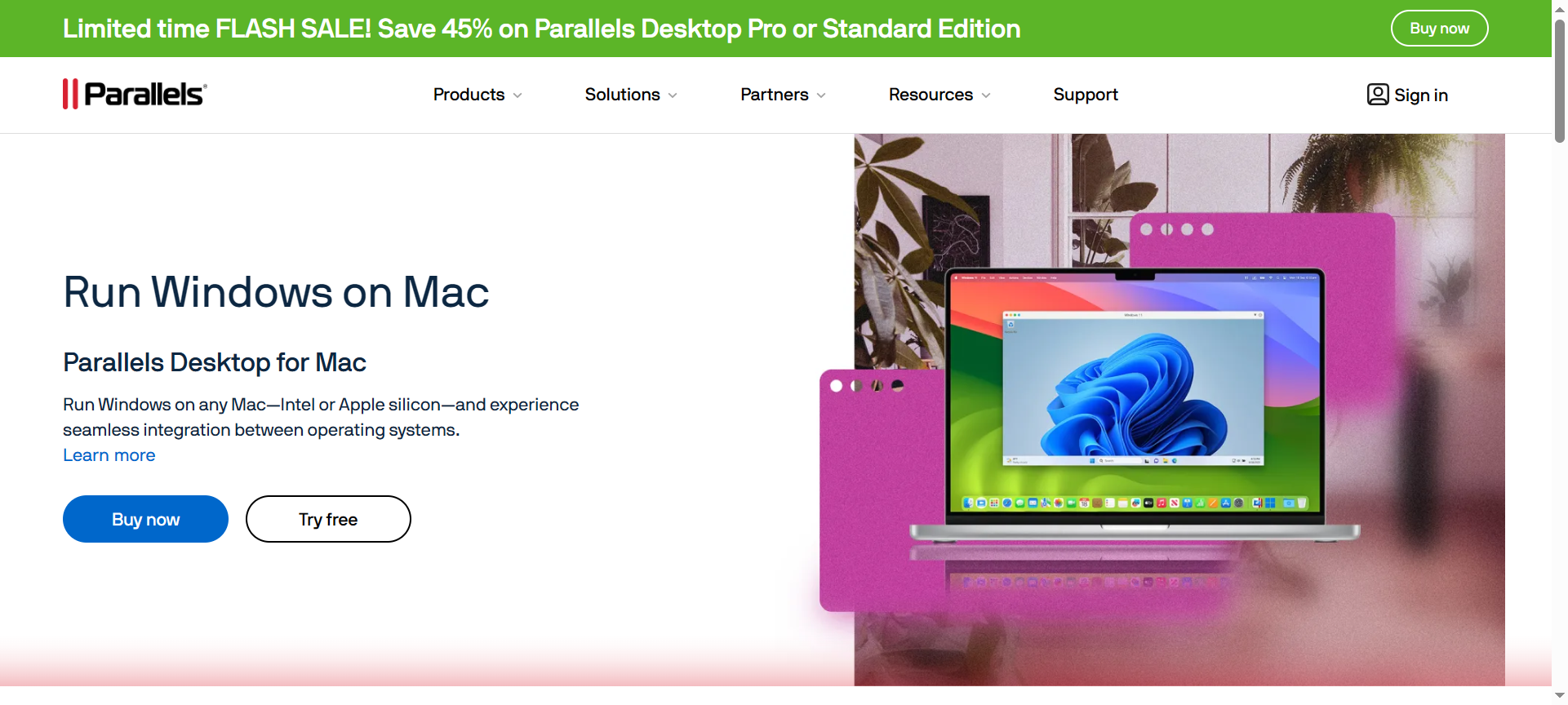

If you’re a Mac user who needs to run Windows applications without compromising speed, design, or performance, then Parallels Desktop continues to be one of the best solutions available. In this Parallels Review 2026, we’ll take a deep dive into everything that makes Parallels a favorite among professionals, developers, and everyday users alike. From its performance and features to pricing, pros and cons, discount coupon codes, and top alternatives—this detailed review will help you decide whether Parallels is worth your investment in 2026.
What is Parallels?
Parallels is a powerful virtualization software that allows Mac users to run Windows, Linux, and other operating systems seamlessly alongside macOS. Developed by Parallels International GmbH, this software eliminates the need to reboot your computer to switch between operating systems.
Whether you’re a designer who needs access to Adobe apps exclusive to Windows, a business user relying on Microsoft Office, or a developer testing cross-platform apps, Parallels makes it all effortless.
With Parallels Desktop 2026, the software has evolved to be faster, more compatible, and optimized for the latest macOS and Windows versions. It integrates deeply with Apple’s M-series chips (M1, M2, M3), providing lightning-fast performance and unmatched efficiency.
Parallels Features
Here are the 10 standout features that make Parallels Desktop 2026 a top-tier choice for Mac users:
1. Seamless OS Integration
Parallels allows you to run Windows and macOS applications side by side—without restarting your computer. You can even copy and paste files between systems or drag-and-drop items across environments effortlessly.
2. Coherence Mode
The Coherence Mode feature hides the Windows desktop interface while letting Windows apps appear directly on your Mac desktop. It feels as though your Windows applications are native macOS apps—perfect for productivity.
3. Optimized for Apple Silicon (M-Series Chips)
Parallels Desktop 2026 is fully optimized for Apple Silicon chips like M1, M2, and M3. This results in faster boot times, smoother app performance, and superior battery efficiency.
4. DirectX and OpenGL Support
Gamers and 3D designers can enjoy improved DirectX 11 and OpenGL support, allowing high-end applications and games to run with near-native performance on macOS.
5. Smart Resource Allocation
Parallels automatically adjusts CPU and RAM usage to balance performance and battery life. You can also manually fine-tune the settings for maximum speed or energy efficiency.
6. Cross-Platform File Sharing
You can share files, folders, and external drives between macOS and Windows without compatibility issues. This makes working across two ecosystems smooth and convenient.
7. One-Click Installations
Installing Windows or Linux on your Mac is incredibly easy. Parallels offers one-click setup wizards that guide you through the installation process without requiring technical expertise.
8. Cloud Storage Integration
It integrates with cloud platforms like OneDrive, Dropbox, and iCloud Drive—making it easier to sync files between operating systems and devices.
9. Snapshot & Rollback
Before making major system changes, you can take a “snapshot” of your virtual machine. If something goes wrong, easily roll back to the previous state—saving time and avoiding data loss.
10. Remote Access via Parallels Access
With Parallels Access, you can remotely connect to your Mac or Windows virtual machine from your phone or tablet, ensuring flexibility for mobile professionals.
Parallels Pricing Plans (2026)
Parallels Desktop offers three main pricing tiers tailored to different types of users:
- Parallels Desktop Standard Edition – $99.99 per year
- Designed for home and student users
- Includes essential features, 8GB vRAM, and 4 vCPUs per virtual machine
- Parallels Desktop Pro Edition – $119.99 per year
- Ideal for developers and advanced users
- Includes advanced networking tools, CLI support, 128GB vRAM, and 32 vCPUs
- Parallels Desktop Business Edition – $149.99 per year
- Geared toward IT teams and businesses
- Includes centralized management, mass deployment, and premium support
Parallels also offers a 14-day free trial so users can test all premium features before committing to a subscription.
Parallels Pros & Cons
Let’s weigh the strengths and weaknesses of Parallels Desktop in 2026.
Pros:
- Flawless Integration: Seamlessly run Windows apps within macOS.
- M-Series Optimization: Outstanding performance on Apple Silicon processors.
- User-Friendly Interface: Intuitive setup and easy navigation even for beginners.
- Fast Performance: Lightning-fast boot and app load times.
- No Reboot Required: Instantly switch between Windows and Mac apps.
Cons:
- Subscription-Based Pricing: Requires yearly renewal.
- High Resource Usage: Demands significant RAM and CPU for heavy workloads.
- Windows License Needed: Users must purchase a separate Windows license.
- Limited for High-End Gaming: Not as powerful as native Windows gaming systems.
- No Lifetime License for Latest Versions: Lifetime licenses are no longer offered for newer editions.
Parallels Discount Coupon Codes 2026
Looking to save money on your subscription? The good news is that Parallels offers regular discounts and coupon codes throughout the year.
In 2026, you can find Parallels Discount Coupon Codes offering up to 25–50% off during special promotions such as Back to School, Black Friday, and New Year Sales.
Search for Parallels Discount Codes 2026, Parallels Coupon Codes 2026, or visit their official website’s promo section to get the latest Parallels Discount Coupon 2026 before purchasing your plan.
Why Choose Parallels?
Here’s why millions of professionals choose Parallels Desktop over any other virtualization software:
- Unmatched Speed: Experience near-native performance for both macOS and Windows apps.
- Cross-Platform Flexibility: Access both operating systems without rebooting.
- Reliability: Proven track record of updates and compatibility across multiple macOS versions.
- Ease of Use: Simplified installation, setup, and maintenance.
- Professional Tools: Perfect for developers, designers, IT administrators, and business users.
If you depend on both Windows and macOS ecosystems, Parallels Desktop 2026 is undoubtedly the best solution for seamless integration and productivity.
Parallels Alternatives 2026
While Parallels is a leader in virtualization, there are other great alternatives depending on your needs and budget.
1. VMware Fusion
VMware Fusion is a close competitor, offering similar virtualization capabilities for macOS users. It’s excellent for enterprise environments and supports powerful developer tools. However, it tends to have a steeper learning curve than Parallels.
2. VirtualBox (by Oracle)
VirtualBox is a free and open-source virtualization tool. While it’s not as polished or fast as Parallels, it’s ideal for users who need a basic virtualization solution without subscription fees.
3. CrossOver Mac
CrossOver Mac allows users to run Windows applications directly on macOS without a full Windows installation. It’s more lightweight but lacks the full compatibility and performance that Parallels offers.
Parallels FAQs (2026)
1. Can I run Windows 11 on my Mac using Parallels?
Yes, Parallels Desktop 2026 fully supports Windows 11, even on Apple M-series Macs.
2. Does Parallels slow down my Mac?
Not significantly. When properly configured, Parallels runs efficiently, though heavy tasks can consume additional resources.
3. Is Parallels compatible with Apple Silicon (M1, M2, M3)?
Absolutely. Parallels was one of the first virtualization platforms to support Apple Silicon chips, offering optimized performance.
4. Do I need to buy a Windows license separately?
Yes, a valid Windows license is required to install and use Windows on Parallels Desktop.
5. Is there a free version of Parallels?
Parallels offers a 14-day free trial, but to continue using the software after that period, you’ll need a paid subscription.
Conclusion: Is Parallels Worth It in 2026?
Without a doubt—yes.
Parallels Desktop 2026 remains the gold standard for running Windows on Mac. It combines performance, reliability, and ease of use in one powerful package. Whether you’re a developer testing cross-platform apps, a student needing Windows tools, or a business professional running Microsoft software, Parallels delivers flawless results.
With powerful features, optimized performance for M-series chips, and exclusive discount coupon codes 2026, Parallels continues to dominate the virtualization market.
If you’re ready to enjoy the best of both worlds—Windows and macOS—seamlessly, visit Parallels.com today and take your productivity to new heights.