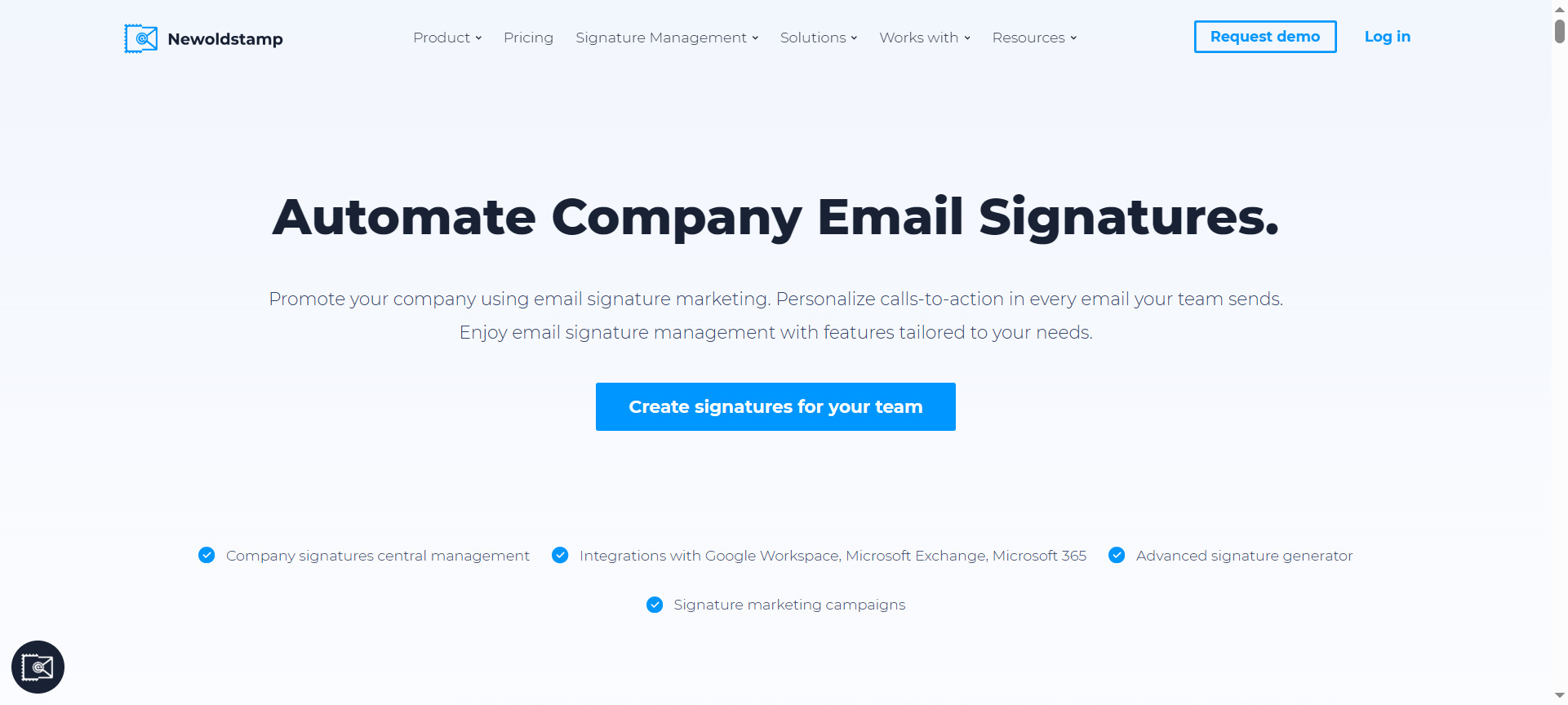

Creating a professional and consistent email signature for businesses is essential for branding and communication. Newoldstamp has emerged as a reliable platform for designing, managing, and automating email signatures. This Newoldstamp Review 2026 explores its features, pricing, pros and cons, discount codes, and alternatives, helping businesses and professionals understand why it can be a game-changer for email branding.
Introduction to Newoldstamp
Newoldstamp is an email signature management platform that enables companies to create visually appealing and professional email signatures for employees. With its user-friendly interface and customizable templates, Newoldstamp ensures brand consistency across all email communications. The platform is particularly useful for marketing teams, HR departments, and organizations aiming to reinforce their branding through emails.
In 2026, Newoldstamp continues to expand its features, making it easier for businesses to maintain brand identity, integrate marketing campaigns, and manage multiple signatures across different teams.
Newoldstamp Features
1. Signature Templates
Newoldstamp offers a wide variety of customizable templates that allow businesses to create professional email signatures quickly. Templates are designed to match modern branding trends and are mobile-responsive.
2. Centralized Signature Management
Administrators can manage email signatures for all employees from a single dashboard. This ensures consistency and simplifies updates across teams.
3. Integration with Email Platforms
Newoldstamp integrates seamlessly with major email platforms, including Gmail, Outlook, and Apple Mail, allowing easy deployment and synchronization of signatures.
4. Social Media Integration
Users can add social media icons and links to their email signatures, promoting company pages and increasing online engagement.
5. Promotional Banners
The platform enables adding banners to email signatures, making it a tool for promoting campaigns, events, or new products directly through emails.
6. Analytics and Tracking
Newoldstamp provides insights into how email signatures perform, including click rates on links and banners, helping businesses optimize email marketing strategies.
7. Mobile-Friendly Signatures
All email signatures created on Newoldstamp are optimized for mobile devices, ensuring professional appearance across smartphones and tablets.
8. Multi-Language Support
Businesses operating globally can create signatures in multiple languages, catering to diverse audiences and regions.
9. Easy Updates
Administrators can make real-time updates to signatures across all employees without requiring individual actions, saving time and effort.
10. User Roles and Permissions
Newoldstamp allows setting different access levels for team members, ensuring that signature management is secure and organized.
Newoldstamp Pricing Plans
Newoldstamp offers pricing based on the number of users and features required:
- Starter Plan: $3 per user per month, suitable for small teams.
- Pro Plan: $5 per user per month, includes analytics, banners, and social media integration.
- Enterprise Plan: Custom pricing, designed for large organizations with advanced management and multi-domain support.
Annual subscriptions often provide additional savings compared to monthly billing.
Newoldstamp Pros and Cons
Pros:
- User-Friendly Interface: Easy to create and manage signatures without technical knowledge.
- Centralized Management: Ideal for companies to maintain consistent branding.
- Email Platform Integrations: Works seamlessly with Gmail, Outlook, and other platforms.
- Marketing Features: Banners and clickable links enhance email marketing efforts.
- Analytics: Provides performance tracking for email signatures and campaigns.
Cons:
- Cost: Pricing can add up for large teams compared to simpler alternatives.
- Limited Free Options: No comprehensive free plan for large teams.
- Advanced Features Restricted to Pro and Enterprise Plans: Smaller teams may not access all features.
- Dependence on Internet Connection: Cloud-based platform requires active internet for updates.
- Customization Learning Curve: Advanced templates may require some learning to fully utilize.
Newoldstamp Discount Coupon Codes 2026
Businesses can save using Newoldstamp Discount Coupon Codes 2026. These discounts are typically offered for first-time subscribers or annual subscriptions. Applying coupon codes helps reduce monthly or yearly fees while accessing premium features for professional email signature management.
Why Choose Newoldstamp?
Newoldstamp is an ideal choice for businesses seeking a professional and centralized solution for email signatures. The platform ensures brand consistency, integrates marketing elements, and provides actionable analytics. Its ability to manage signatures across multiple users saves time and simplifies administrative tasks.
For businesses aiming to enhance branding and email marketing strategies, Newoldstamp offers a blend of functionality, ease-of-use, and professional design capabilities, making it a worthy investment in 2026.
Newoldstamp Alternatives
1. WiseStamp
WiseStamp provides email signature management with customizable templates, team management, and marketing integration, similar to Newoldstamp.
2. HubSpot Email Signature Generator
HubSpot offers a free email signature generator and integrates with its CRM, ideal for businesses already using HubSpot for marketing.
3. Gimmio
Gimmio allows extensive customization of email signatures with templates, banners, and advanced branding options for teams.
Newoldstamp FAQs
1. Can I integrate Newoldstamp with Gmail and Outlook?
Yes, Newoldstamp integrates seamlessly with both Gmail and Outlook, among other major email platforms.
2. How many email signatures can I create?
The number of signatures depends on the subscription plan, with Enterprise plans supporting unlimited users and signatures.
3. Can I track clicks on banners or links in signatures?
Yes, Newoldstamp provides analytics to track engagement with banners and links in email signatures.
4. Is Newoldstamp mobile-friendly?
All signatures are optimized for mobile devices, ensuring professional appearance across smartphones and tablets.
5. Can I update all employee signatures at once?
Yes, administrators can make global updates to email signatures across the entire team in real-time.
Conclusion
Newoldstamp Review 2026 highlights it as a powerful and user-friendly platform for email signature management. Its wide range of templates, centralized administration, analytics, and marketing capabilities make it ideal for businesses of all sizes. While costs may add up for large teams, the ability to maintain consistent branding, integrate marketing campaigns, and track engagement makes Newoldstamp a valuable tool in 2026.
For organizations looking to elevate their email communication and branding, Newoldstamp offers professional features, reliable support, and a streamlined workflow, making it a strong choice among email signature management solutions.