What is InVideo?
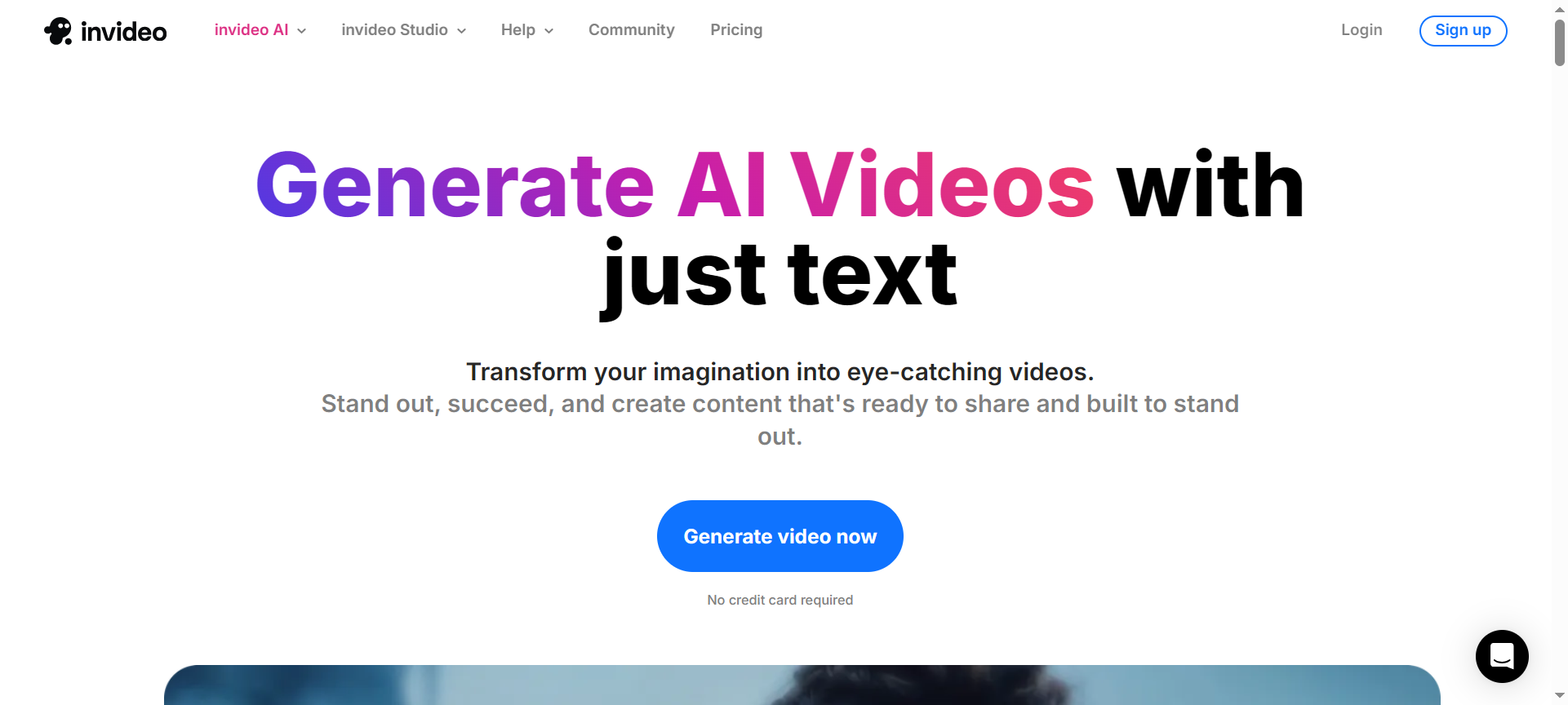
InVideo is a cloud-based AI video creation platform that helps users design and produce professional-grade videos effortlessly. Whether you’re creating promotional videos, social media ads, YouTube intros, product explainers, or slideshow presentations — InVideo provides all the tools, templates, and AI automation you need to bring your ideas to life.
Launched with a vision to simplify video creation for everyone, InVideo eliminates the need for expensive editing software or advanced technical skills. Its AI video generator allows you to create videos from text, blogs, or scripts within minutes — making it one of the top-rated video editors in 2026.
Top 10 Features of InVideo
Let’s explore the top features that make InVideo stand out in the world of online video creation:
1. AI Script-to-Video Generator
With InVideo’s AI technology, you can instantly turn any text, blog post, or script into a fully edited video complete with visuals, voiceovers, and background music. It saves hours of manual work and is perfect for marketers and YouTubers.
2. 5000+ Ready-Made Templates
InVideo offers over 5000 customizable templates for every use case — including social media ads, YouTube intros, product videos, and more. Simply choose a template, replace the text, and publish.
3. Stock Media Library
The platform integrates with iStock, Pexels, and Unsplash, offering access to 8 million+ stock images and videos — ensuring your content always looks fresh and professional.
4. Advanced Editing Tools
Even though it’s beginner-friendly, InVideo doesn’t compromise on power. You get tools like trimming, transitions, filters, overlays, animations, and timeline-based editing to fine-tune every detail.
5. Text-to-Speech & Voiceover
Want a voice for your video but don’t have a mic? InVideo’s AI text-to-speech feature generates natural-sounding voiceovers in multiple languages and accents — perfect for global audiences.
6. Brand Presets & Collaboration
Maintain consistency across all your marketing videos by using brand presets for colors, fonts, and logos. The collaboration feature also allows teams to edit and review videos together in real time.
7. Multi-Language Support
InVideo supports multiple languages, enabling creators around the world to make videos that resonate with local audiences. It’s great for businesses targeting international markets.
8. AI-Powered Background Remover
You can easily remove or replace video backgrounds with AI, eliminating the need for green screens or manual masking. This is ideal for product demos and social media content.
9. Direct Social Media Export
Publish your videos directly to platforms like YouTube, Instagram, Facebook, and LinkedIn — saving you the hassle of downloading and re-uploading files manually.
10. 24/7 Live Chat Support
InVideo’s dedicated customer support team is available 24/7 to help users resolve issues, provide editing tips, or guide them through advanced features.
InVideo Pricing Plans 2026
InVideo offers flexible pricing options that cater to beginners, professionals, and agencies alike. Here’s an overview of the InVideo Pricing Plans (2026):
- Free Plan – $0/month
Access to 5000+ templates, basic features, and watermarked exports. Ideal for testing the platform.
- Business Plan – $25/month (billed annually)
- No watermark
- 60 HD video exports/month
- Access to premium templates
- 10 iStock media per month
- Background remover
- 1M+ premium media
- Unlimited Plan – $60/month (billed annually)
- Everything in Business plan
- Unlimited HD exports
- 120 iStock media per month
- Advanced AI tools
- Priority support
Note: Prices may vary depending on seasonal discounts or InVideo Discount Coupon Codes 2026.
InVideo Pros & Cons
Pros
- AI Automation: Quickly converts scripts into videos in minutes.
- Extensive Template Library: Thousands of designs for every niche.
- Affordable Pricing: Much cheaper than Adobe Premiere Pro or Final Cut Pro.
- Beginner-Friendly: Intuitive drag-and-drop interface suitable for non-editors.
- Fast Cloud Rendering: No need for high-end PCs — everything runs online.
Cons
- Internet Dependent: Requires a stable connection for smooth performance.
- Limited Offline Editing: Cannot edit without an active internet session.
- Watermark in Free Plan: The free version adds watermarks to exports.
- Occasional Lag: Large projects may slow down on weaker networks.
- Limited Custom Animation Control: Not ideal for complex motion graphics.
InVideo Discount Coupon Codes 2026
If you’re planning to subscribe, don’t miss out on InVideo Discount Coupon Codes 2026. These coupons can help you save up to 50% off on annual subscriptions or upgrades.
You can often find InVideo Discount Codes 2026 during:
- Black Friday & Cyber Monday
- New Year Promotions
- Summer Deals
- Affiliate Partner Offers
Search for verified deals on official InVideo partner sites or newsletters to get InVideo Coupon Codes 2026 that actually work.
Why Choose InVideo?
There are countless video editing tools out there, but here’s why creators in 2026 are choosing InVideo:
- AI-Powered Speed: Create professional videos 10x faster.
- Affordable Subscription: Access premium tools without breaking your budget.
- Cloud Convenience: No downloads or heavy installations.
- High-Quality Templates: Professionally designed visuals that boost engagement.
- Perfect for Businesses: Ideal for ads, marketing, and branding content.
Whether you’re running social media campaigns or producing client videos, InVideo delivers efficiency, flexibility, and quality in one platform.
InVideo Alternatives 2026
While InVideo is one of the best online video creators, here are three strong InVideo Alternatives 2026 worth considering:
1. Canva Video Editor
Canva offers an intuitive interface and thousands of templates for creating social videos, ads, and presentations. It’s perfect for users already familiar with Canva’s design tools.
2. Pictory AI
Pictory converts long-form content like blogs and scripts into short, engaging videos using AI. Ideal for marketers and YouTubers focused on automation.
3. Animoto
Animoto is a drag-and-drop video maker with strong business templates. It’s excellent for quick ad videos, especially for social media and eCommerce.
InVideo FAQs
1. What is InVideo used for?
InVideo is used to create professional videos for marketing, social media, business, and personal use — quickly and easily using templates and AI automation.
2. Does InVideo offer a free plan?
Yes, InVideo offers a free plan with limited exports and a watermark — perfect for beginners testing the platform.
3. Can I use InVideo for YouTube videos?
Absolutely! InVideo is a favorite among YouTubers for creating intros, explainers, and full-length videos.
4. Are there any InVideo Discount Codes available in 2026?
Yes, InVideo offers several seasonal and partner discounts, helping users save up to 50% on annual plans.
5. Is InVideo beginner-friendly?
Yes. With its simple drag-and-drop editor, even users with zero editing experience can produce professional-quality videos.
Conclusion – Is InVideo Worth It in 2026?
After thoroughly reviewing its features, pricing, and performance, it’s clear that InVideo remains one of the best AI video editing tools in 2026. It strikes the perfect balance between ease of use, functionality, and affordability.
From small business owners to marketing agencies and YouTube creators, InVideo empowers anyone to produce high-quality videos in minutes — without needing expensive equipment or professional editing experience.
If you’re ready to elevate your content creation game, sign up today and don’t forget to apply InVideo Discount Coupon Codes 2026 to save big on your subscription.